SEPTEMBER 2, 2013
There had been moments that I felt Facebook web interface on the iPad didn’t really feel good to use. There was of course a Facebook “App”, but that wasn’t as flexible as the web version.
One weekend, I took on the task to see how I would have done Facebook. Started playing around with few ideas from paper scribbles, to whiteboard and finally jumped to actual design tools :- )
During this process there were multiple ideas dropping from all sides of brain cells, seemed like a BIG fight between them, which resulted in detailing out the two of the thoughts. First being – Continue reading →
Few years back when I started contributing back to the community, I would always see just a single female name in the list of speakers. Over the years I saw a couple more with whom I could share the stage with pride.
Though I would admit, I did feel a sense of achievement especially during this age of #genderequality
This month I felt elevated, being part of the Women Economic Forum’s annual meet in New Delhi.
It was fascinating to be at an event which wasn’t limited to just having my co-speakers as women from all walks of life worldwide, but also the delegates, hosts, organisers joining hands together and making each other more stronger and powerful together.
WEF has the motto of enabling women leaders to expand business opportunities and enhance personal influence through networking across borders while also being inspired by some of the world’s most successful entrepreneurs, authors, thought leaders and celebrities.
It is an exceptional multi-national forum lead by Dr. Harbeen Arora, with 100,000 members and inspiring women across 150 countries.
The overall theme of the event was “Reimagining Societies: Reclaiming Humanity With Gender Equality”
I was invited to speak about Productivity vs Creativity – Blending Both.
As productivity is measurable while creativity isn’t yet both are two sides of the same coin. A lot of us struggle with creativity and productivity and sometimes take too much stress on ourselves. Still, we can’t just sit there and wait until the mood strikes. So if you want to learn the techniques to improve your creativity and productivity just message me.
My special thanks to the beautiful ladies who were the force behind the seamless organization of a 6 days long mega event.
At times too much of technology gets on your nerves! I realized this when one of the evenings I spent less than an hour with clay. And instantly was transported to a place which had been a memory till now.
All the designers out there, leave the mouse and touchpad behind for a while, go ahead and exercise all your fingers!
This was unbelievable for me till I had encountered the event. Like any other weekend, in September 2013, we had just finished our run in Lodhi Gardens. While cooling down we saw few people painting the trash cans. Taken by surprise we went ahead and checked with the organizers. With a simple registration process, anyone could volunteer and make the boring trash cans into a piece of art. In no time we were painting the sky blue, literally.
From juggling with paper scribbles, paint tubes, brushes, to what colors to apply and how much, we ended up creating our masterpiece of the day 🙂
First piece of art
The thrill of enjoying the splashes of colors, brush strokes in close contact with the nature was a dream come true. In fact it gave me such a high, I could sense what someone may feel after marijuana, an addiction which pushed me to do it again.
And then Delhi Street Art organized another event in November of same year, and I was all for it without a second thought, and reached 1 hour 15 mins before time 😀
And here’s the result of 7 hours of high with mushrooms, minion and merry!
Second piece of art
Doing our bit for social awareness. Concept behind this Social Initiative – To pull people’s attention that ‘hey there is a bin’ instead of them disposing stuff around!
Event was organized by Delhi Street Art in collaboration with NDMC.
I have seen at times, we as designers spend most of our time trying to get the ‘just right‘ device shape for mobiles and tablets, getting the perfect glare angle and how the external product looks, since presentation does make a difference!
But are you spending more time on it than required? Won’t it be an enormous step forward for all the designers to centralize their thoughts for some innovative thinking, rather than getting the device shape right, especially during the initial phase.
In this post I have tried to consolidate some of the templates available across the globe.
Stumbled across 30 HTML Best Practices post by Jeffrey Way (editor with Nettuts) and found it worth sharing.
Though the article title suggests it’s for beginners but I would say its useful for experts too. You may find lot of such articles via google search but I like the way Jeffrey has written.
I had created 3R theory for myself sometime back, you can try and see if it adds value for you.
Gives flexibility to designers to play freely with the shadow effects. So next you want to play with your creativity, don’t hesitate with the shear thought of execution or UI developer standing with a ‘Not Possible’ board. Simply direct him to this link 🙂
Create progressive background image with CSS
Best feature – Scales images proportionality, without Continue reading →
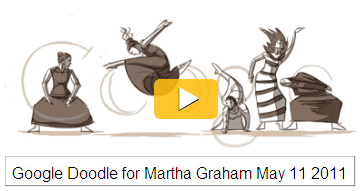
Google Doodle for Martha Graham (American dancer and choreographer) left me awestruck by the animation of Martha dancing and the impressions by her movement form into word – Google. The smoothness of figure with drapes flowing so seamlessly kept me pressing F5 again and again to digest the flawless work. Especially when the character forms double ‘o’ by flying into the air and the closure with a powerful leap.
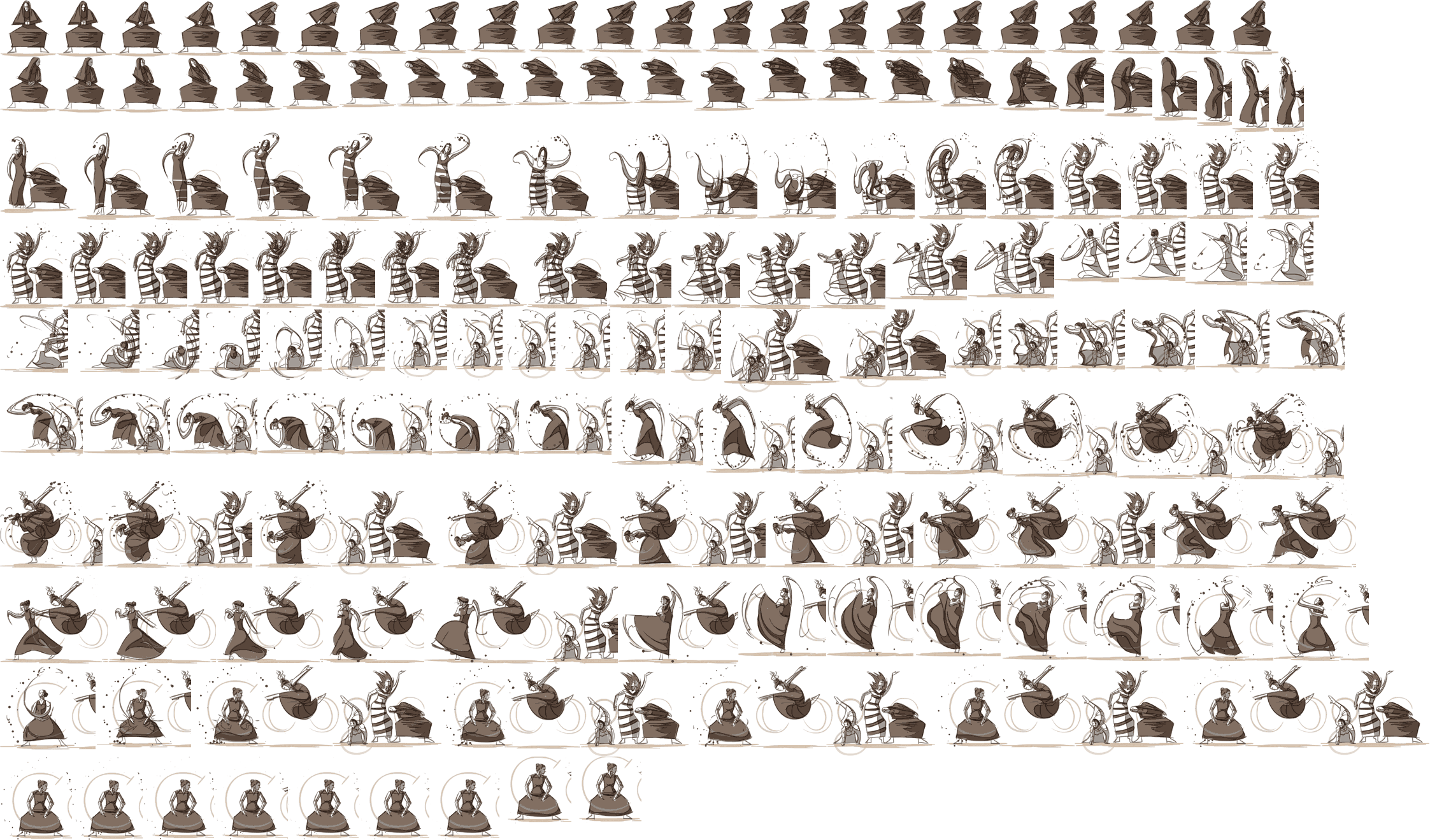
Initially it seemed like a flash work till I realized it was animation using JavaScript with CSS sprites. By simply looking at the storyboard of this sprite the effort of the designer is clearly reflected.
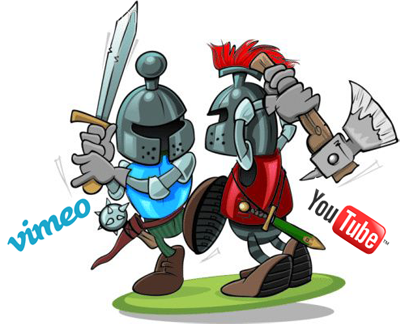
According to Nielsen analysis of consumer behavior suggests 70% of worldwide internet users watch videos online. And I agreed with them as I also most of the time while searching for a product demo, song, tutorial video, national/international advertisements just move towards youtube.com and when I’m looking for talks related to specific topics Vimeo is the way to go.
Younger the faster or Older the wiser?
Though Youtube is a year younger than Vimeo and surprisingly Youtube spread its wings more faster into this space. YT was the product created by 3 ex-employees of Paypal, who later sold it to Google. Now its one of the popular online video site. Youtube moved towards social networking mode allowing users Continue reading →
The way design community is growing now days it’s not surprising as the web & mobile world now understands the importance of designers. It’s no more just about adding colors but a lot more goes into applying right color combination at the right place. Bunch of tools are available on the web to help designers do their tasks more efficiently. I have selected 3 best sites to avoid any cross-weaving of thoughts, which I feel are helpful in creating a wide range of color palettes apart from our dear old favorite ones (I believe each designer has at least one special magical color palette of their own, which saves us during a rainy day)
As in my earlier posts, I have mentioned how important it is to have the right data at the right time. Moving further with the same thought and to make sure the designers creativity doesn’t come to a halt, I had started the ‘Quick Tips’ category. Through this post I researched and created a repository for UX and Graphic designers, a compilation of Wire-frame stencils and Photoshop source files for base devices.
There are times when as designers we need to quickly churn out few designs and we keep looking for the right images.
Frantically searching multiple photo-stock sites in different tabs and the ticking minutes just add to the aggravation. Still we are just not able to get the right shot with the right background. Looking at the heavily designed backgrounds in an image with the thought of extracting an object from it gives goose pimples to some of the designers.
I found a very helpful tutorial which provides different techniques for Continue reading →
At times I see designers struggling on “how to do” though they know “what to do”. Being a designer myself this minute of struggle not only sucks but leads into ineffective designing. My whole creativity goes for toss since I’m busy searching for the right tool with the ticking time lines.
I am sure there are many among us who are absolutely creative, and are full of ideas. However, the creativity falls short if it is not expressed the way its envisioned. And here’s where the tools that we use and our knowledge about them holds prime importance. It’s the tools that help bring our creativity to life. This very thought gave me a new direction to add in my blog – Quick Tips Category
Following is a quick tip of using the tools more efficiently.
Changing fonts/measurements from points to pixels (or) reverse in Photoshop
There was a time when almost every household product globally was associated with a mascot but over the years either some of the brands have dropped their mascots or rarely use them as a part of marketing documents (Note: only marketing documents, not products)
Since childhood I have been seeing them around and thought people could easily relate to the word mascot (the face that speaks a thousand words). But my earlier blog was an eye opener where I realized very few people today understand or relate to mascots. Maybe the difference is in observation a person builds since childhood.
Over the years, I saw the mascots fading and then came the trend when everyone starting creating a mascot for their brand. Immediately looking at them, it just clicked to me how mascots have moved to web in this web2.0 era. My earlier post was targeted at Website Mascots, so here’s the flashback of some mascots which existed during our growing years. Going back to the memory lane might be interesting for some of us, and make us more observant in today’s life.
Telecom Brand Mascot which was allowed to be a part of lifestyle products. Till now Mascots have been strongly visible on merchandising items only. Vodafone is the only brand which allowed its mascot ‘ZooZoo’ on products to a lifestyle brand.Continue reading →




 Bubbling thoughts

